Sometimes we can miss the most trivial of things, and even though changing the date stamp of a WordPress post is fairly straightforward, this was a problem that someone actually faced and to that person the solution was not so obvious.
You see having written several articles over the years, a client wanted to upload some to his new wordpress site. However he found that once he published those articles they would take on the current date, when what he wanted was the date those articles were originally written.
So how do we get wordpress to show the dates he wants and not the date it was actually posted on?
That’s where the post publish box comes in to play.
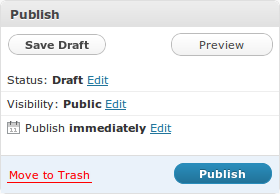
The buttons in the post publish box are self explanatory, however it’s pretty easy for new wordpress users to miss the edit links next to Status, Visibility and Publish. Even if they do see the link it is not immediately obvious what those links actually do.
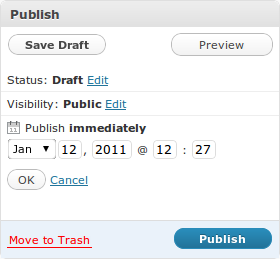
For the purposes of this post we are interested in editing the publish date. Clicking on the edit link next to the Publish immediately text will bring up date fields which we can change to reflect the post date we want show on the blog, providing that the blog is set up to show post dates. This also allows you to schedule posts for future publication.
As with most things wordpress is pretty well thought out, and changing the date on your post is as simple as you would think.